
What to Look for in a Job Tracking App (Beyond a Kanban Board)
Most job tracking apps look the same on the surface: a board with columns, some cards, maybe a drag-and-drop animation. And a board is genuinely useful — it's the first thing most people set up when they decide to get organized about their search.
But a kanban board only tracks what you tell it to track. It doesn't fill in forms, doesn't tailor anything, and doesn't notice when you've gone a week without applying. If you're evaluating a job tracking app — and especially if you're comparing it to the free board you could build in any project tool — here's what actually separates a tool that speeds up your search from one that just decorates it.
1. Does it connect to the application itself?
This is the big one. A standalone tracker asks you to manually log every application: company, role, date, status. That's fine for ten applications. It falls apart at fifty, which is roughly the number where the volume game starts to matter.
Look for a tracker that lives where the applying happens — in the browser, on the application form — so status updates are a byproduct of applying rather than an extra chore. Amploy's Chrome extension works this way: it sits on the job posting and application page, so the role you're looking at is the role you're tracking.
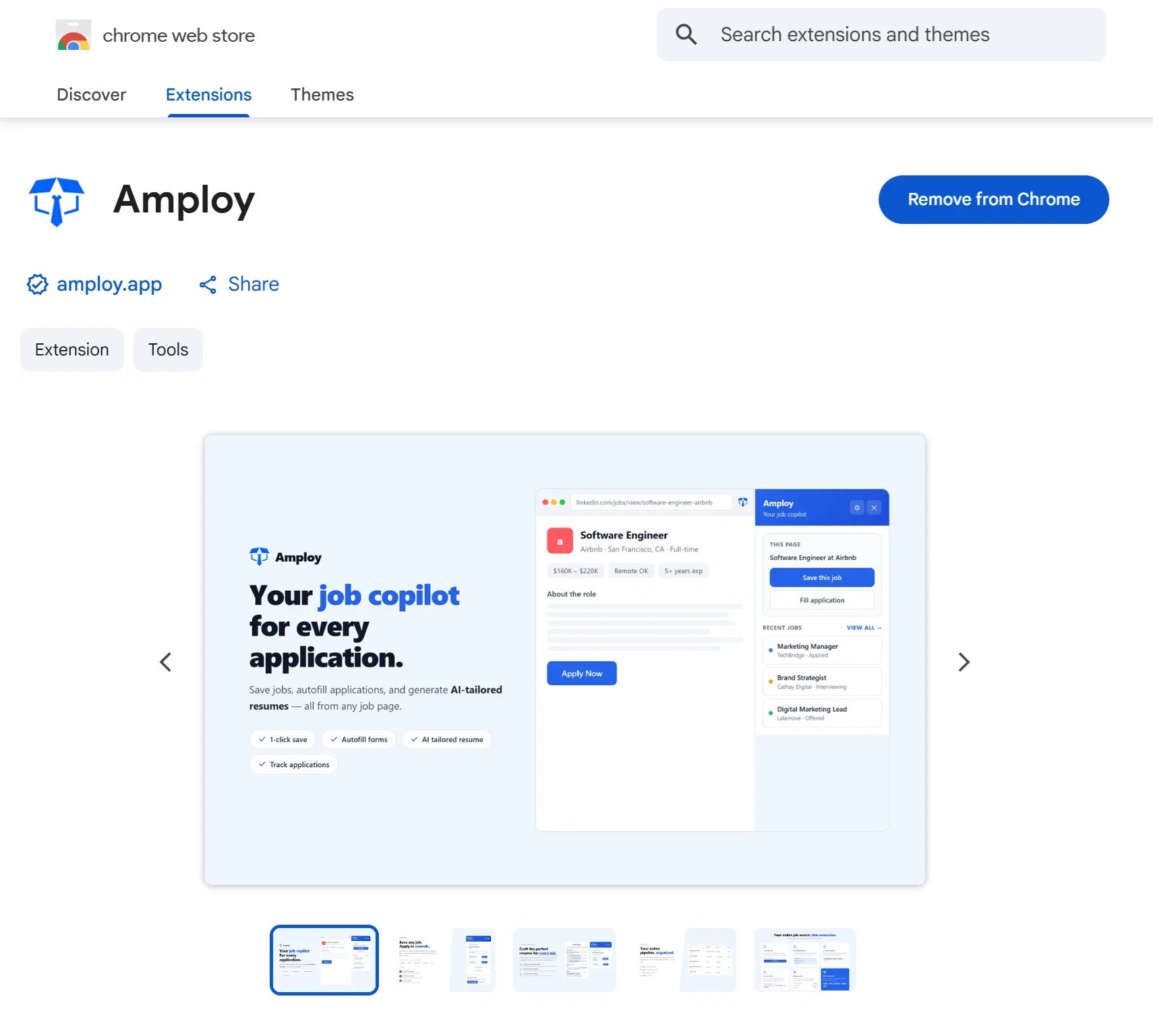
A useful gut check: if using the tracker adds steps to your workflow instead of removing them, it's the wrong tracker.
2. Autofill that uses your real information
Most browsers offer basic autofill for names and addresses. That's not what we mean. The question is whether the tool can fill the parts of an application that are unique to you — work history, phone number, and especially the free-text questions and essay boxes that eat up ten minutes per application.
If a tool stores a structured profile of your experience and can pour it into an application in one click, it's doing real work. If you're still copy-pasting your work history into every form, the tracker is only solving the easy half of the problem.

3. Tailoring built in, not bolted on
A tracker that shows you fifty saved roles is a list. A tracker that helps you tailor materials per role is a search engine for your own candidacy.
Look for two capabilities:
- Resume rewriting that adapts your real experience to each job description, rather than asking you to maintain five versions of your resume by hand.
- Cover letter drafting that references the specific role and your actual background, with an editable first draft so the final version still sounds like you.
The reason this matters for tracking specifically: tailored materials and application status belong next to each other. If your resume edits live in one folder and your application pipeline lives in another, you lose the thread of which version went where.

4. A pipeline that matches how hiring actually moves
Saved → Applied → Interview → Offer is a reasonable default, but check the details. Can you see, at a glance, which tailored resume and cover letter went with each application? Can you tell which roles have gone quiet and need a follow-up?
A good pipeline answers "what do I need to do today?" without you opening a spreadsheet. That means status columns are only half of it — the other half is the materials and context attached to each card.

5. Small friction-killers you'll only notice when they're missing
Job hunting means creating accounts on a dozen career sites, each with its own login. If your tracker (or the suite it belongs to) can store those site logins, you stop losing ten minutes per application to password resets. It sounds minor until you've done it for the fifth time in a week.

6. It should make applying to more roles easier
Here's the honest metric: after a week with a job tracking app, are you applying to more roles, or just organizing fewer ones more beautifully?
The math of hiring is not subtle. Popular roles draw hundreds of applicants, and rejections are usually a volume problem, not a verdict on you. The people who land interviews tend to be the ones who apply more, faster. A tracker earns its place only if it helps you play that numbers game without burning out — which means it has to remove repetitive work, not add a dashboard to it.
The short version of your checklist
When you're comparing job tracking apps, ask:
- Does it track applications from the page where you apply, without manual logging?
- Can it fill real application fields from a structured profile?
- Does it tailor resumes and cover letters per role, with editable drafts?
- Does each pipeline entry show which materials went out?
- Does it handle the small stuff — like career-site logins — so nothing slows you down?
- Net effect: more applications sent, less time per application?
A kanban board can't answer most of those. Amploy was built to: the extension handles autofill, tailored resumes, cover letters, and tracking right on the application page, and the job tracker keeps every tailored document attached to its role — so the board reflects work you've actually done, not work you've logged by hand.