
Tracking Jobs Across Sites Without a Spreadsheet Spiral
Applying to jobs across LinkedIn, company career pages, and a dozen different applicant tracking systems has a way of turning your job search into a record-keeping problem. You start with good intentions: one tidy spreadsheet. A few weeks later you have five tabs, color codes you no longer understand, and a nagging feeling that you've applied to the same role twice.
The spreadsheet isn't the problem. The problem is that tracking jobs by hand is a second job — one that doesn't get you any closer to an interview. Here's how to keep your pipeline organized without letting the tracking swallow the search.
Why spreadsheets fall apart fast
A spreadsheet assumes you'll stop what you're doing after every application, switch tabs, and log the details while they're still fresh. In practice, you're mid-flow: you've just filled out a long form, you hit submit, and the last thing you want to do is update a row.
So you skip it. Then you apply to three more roles. Then you get a callback and can't remember which version of your resume you sent, or which site you used to apply. The spreadsheet becomes a source of guilt instead of a source of clarity.
The other issue is that a spreadsheet lives nowhere near the work. Your applications happen in the browser, on company sites. Your tracking lives in a separate tab. Anything that pulls you out of the application flow is going to lose to the path of least resistance.
Track the status, not just the name
A useful job tracker answers three questions at a glance:
- Where did I apply? The company and the site — because follow-ups and logins live on the site, not the company name.
- What did I send? Which resume and cover letter version, since tailoring means every application is slightly different.
- Where does it stand? Saved, applied, interviewing, offer. A pipeline, not a list.
If your tracking method can't answer all three without digging, it's not saving you time — it's just moving the busywork around.
Keep the tracker next to the application
The single biggest upgrade is to stop treating tracking as a separate task. When your tracker sits right beside each tailored resume and cover letter, logging a job becomes a byproduct of applying rather than an extra chore you have to remember.
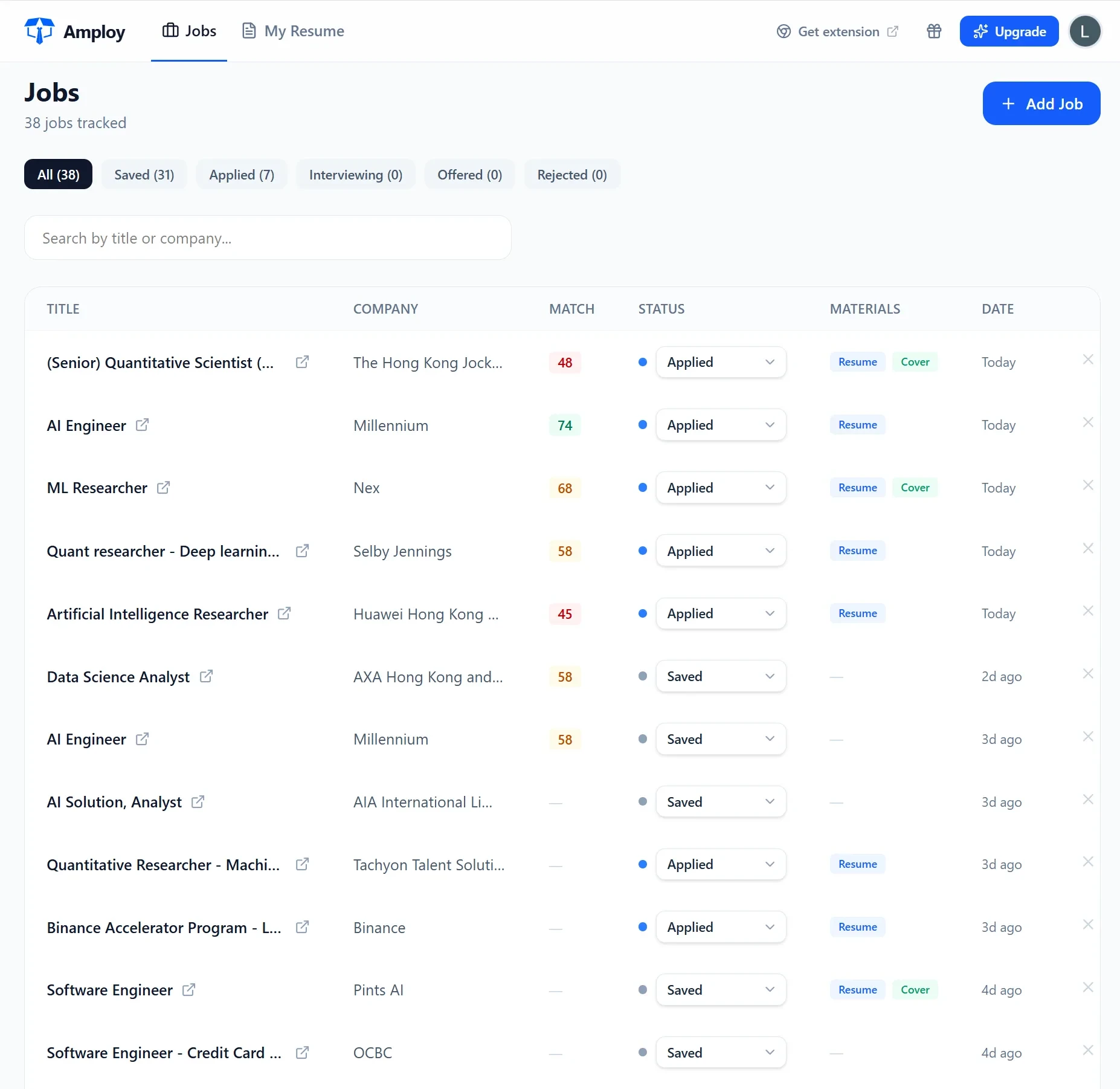
That's the thinking behind Amploy's job tracker: a status pipeline — Saved → Applied → Interview → Offer — attached to the exact resume and letter you sent for each role. You're not maintaining a spreadsheet alongside your search; the record builds itself as you go, so you always know what you sent and where it stands.
Solve the login problem while you're at it
Career sites love accounts. Every application portal wants a login, and after a dozen of them you're resetting passwords instead of applying to jobs. A tracker that doesn't account for this just creates a new place to get stuck.
Amploy pairs the tracker with a password saver built for exactly this situation — one saved login per career site, not per job — so when you return to check a status or finish an application, you're not locked out of your own pipeline.

Make applying fast enough to actually track
Here's the uncomfortable truth: the reason people stop tracking is that applying to enough jobs to matter is exhausting. When each application takes twenty minutes of retyping your work history and reworking your resume, you don't have energy left to keep records straight.
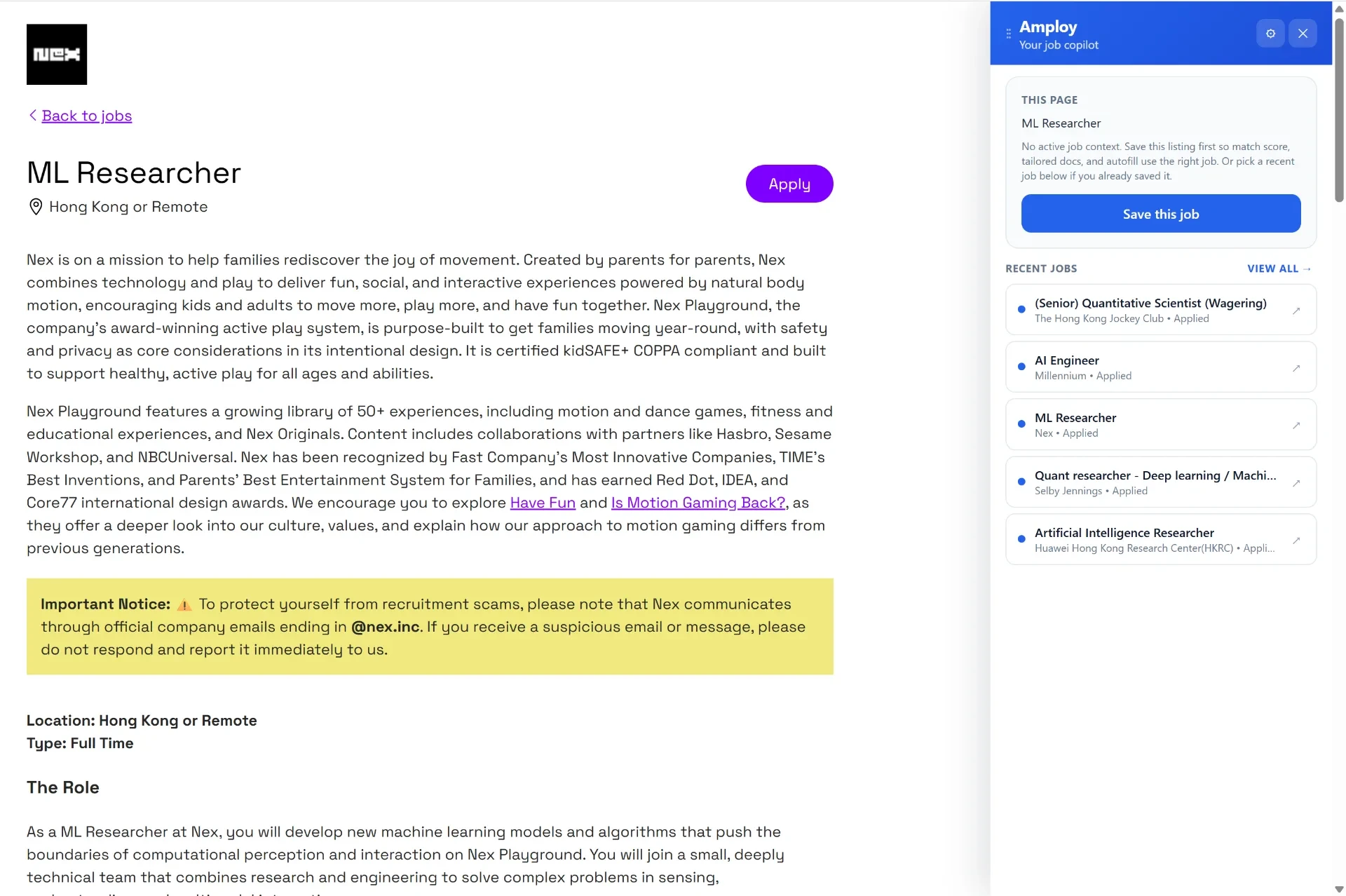
That's why tracking and speed belong together. With Amploy, the repetitive parts of each application — autofill, a first-draft cover letter, a resume rewrite matched to the job description — happen in one click. You apply to more roles, faster, and each one lands in your tracker automatically.
A simpler way to run the numbers
Hiring is a volume game, and rejections usually aren't personal — the people who land interviews are simply applying more, and faster, than everyone else. A spreadsheet spiral is the enemy of that volume, because every minute spent maintaining it is a minute not spent applying.
The fix isn't a better spreadsheet. It's removing the separation between applying and tracking. Amploy keeps your pipeline, your tailored documents, and your logins in one place so you can play the numbers game without burning out — and without ever wondering which tab that job went into.
Install the Amploy extension, and let the tracker build itself while you get back to applying.