
Tailor My Resume in Minutes: A Practical Guide with Amploy
You found a role you actually want. The description is a near-perfect match for your experience. So you spend 40 minutes rewording your resume bullets, rewriting your summary, and drafting a cover letter — and then you never hear back.
That's the trap of job searching in a high-volume market. Most openings get hundreds of applicants, and the people who land interviews usually aren't more qualified than you. They just apply to more roles, faster, with a resume that speaks directly to each description.
Here's how to tailor your resume in minutes instead of hours, and how Amploy fits into each step.
Why "one resume for every job" stops working
A generic resume asks the recruiter to do the work of figuring out where you fit. A tailored resume does that work for them: it mirrors the language of the job description, surfaces the experience that's actually relevant, and cuts the parts that aren't.
The problem is that doing this properly for every application is slow. Which is why most people skip it — and then wonder why their application volume isn't turning into interviews.
Step 1: Read the job description like a checklist
Before you touch your resume, spend two minutes pulling out the signals:
- The exact job title and how the company phrases it
- Repeated keywords — the skills or tools mentioned more than once
- The top three responsibilities listed in the description
- Required vs. nice-to-have qualifications
Those are the terms your resume should echo. If the posting says "stakeholder management" five times and your resume says "worked with clients," you're making the recruiter translate.
Step 2: Match your real experience to the description
Now go through your work history and ask, for each role: which parts of this actually map to what they're asking for?
You don't need to rewrite your career. You need to reorder it — lead with the bullet points that answer the job description, and let the less relevant ones recede. Keep the facts. Change the emphasis.
This is the step that eats the most time when you do it manually, because it means rewriting the same paragraphs over and over for every application.
Step 3: Let Amploy draft the rewrite
This is where the busywork disappears. Amploy rewrites your real experience to match each job description — so instead of starting from a blank page, you start from a draft that's already oriented around the role.
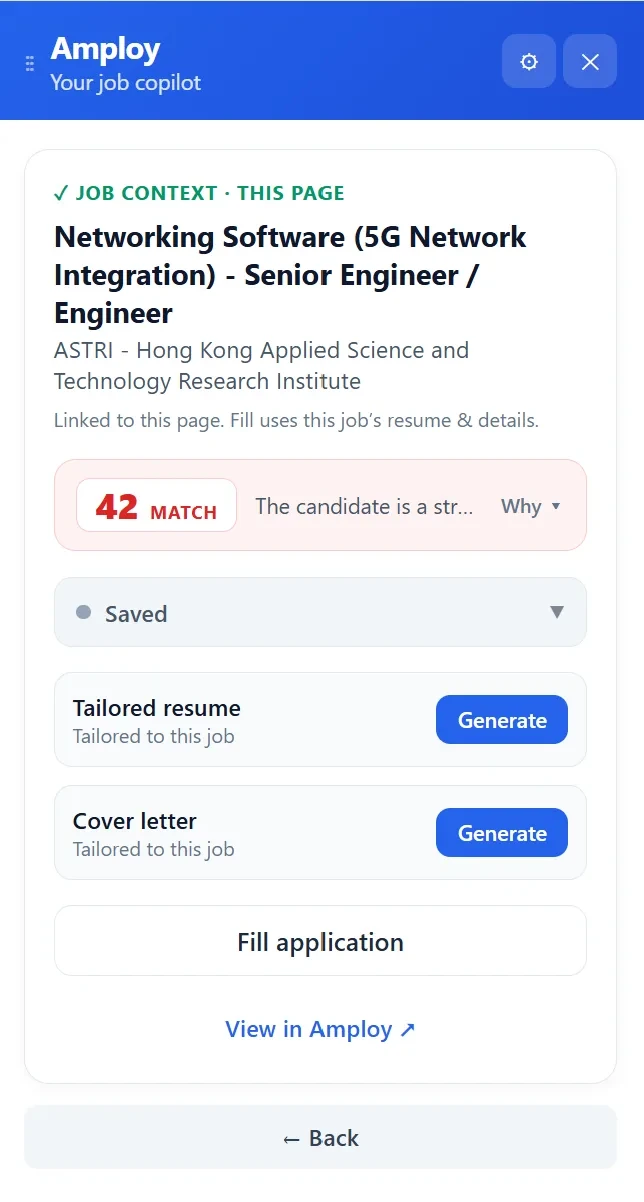
You give it the job context, and it generates a tailored version of your resume based on your actual experience. From there you review and edit — which is a very different task from writing from scratch. You're checking a draft, not composing one.

A few things to keep in mind when reviewing the draft:
- Confirm every claim is true. The draft is built from your experience, but you're the final check.
- Keep your voice. Tighten anything that reads stiff or generic.
- Check the keywords landed. If the description emphasized something and the draft missed it, add it back.
Step 4: Generate a cover letter that references the role
A tailored resume gets you past the first filter. A cover letter that actually mentions the role — not a template with the company name swapped in — is what makes a hiring manager remember you.
Amploy generates a first draft that references the specific role and your real experience, then leaves it editable so you can bring it into your own voice.
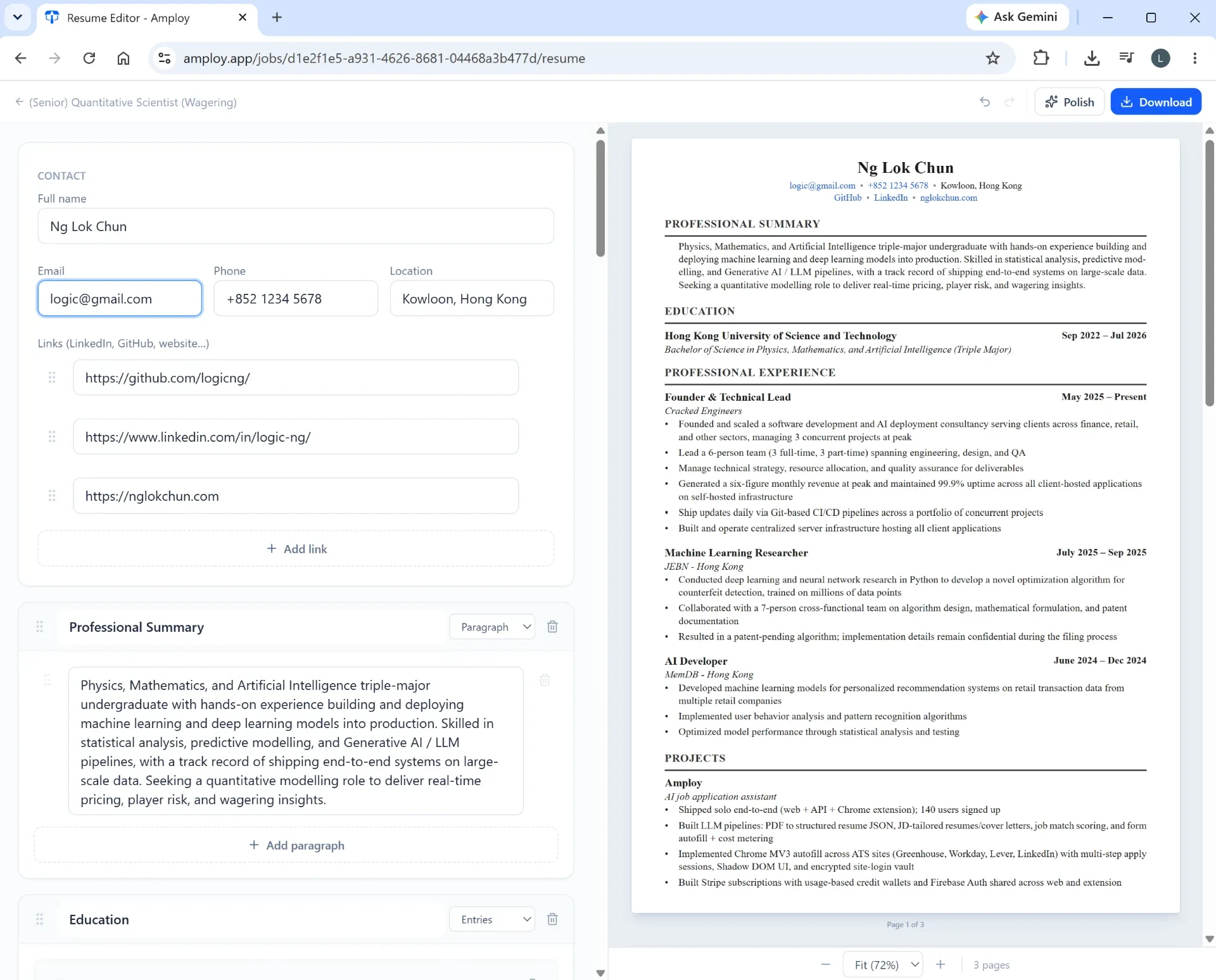
Two minutes of editing on a real draft beats thirty minutes of staring at a blank page.
Step 5: Autofill the application form
Here's the part nobody talks about: after all that tailoring, you still have to type your name, phone number, work history, and sometimes whole essay answers into yet another application portal.
Amploy's autofill handles that in one click, pulling from your profile.

This is where the minutes actually add up. Tailoring one resume is manageable. Tailoring twenty and hand-filling twenty forms is a week of your life.
Step 6: Track what you've sent
Once you're applying to more roles, keeping track matters more, not less. Which version of your resume went to which company? Who's replied?
Amploy's job tracker keeps a status pipeline — Saved, Applied, Interview, Offer — right next to each tailored resume and cover letter.

And because you're now logging into a lot of career sites, the password saver keeps those logins in one place so you're not resetting a password every time you check an application status.

The mindset shift: play the numbers game without burning out
Tailoring your resume well is worth doing. But the reason most people don't do it consistently is that the cost — in time and energy — is too high to sustain across dozens of applications.
The fix isn't to care less about each application. It's to remove the repetitive work so tailoring a resume takes minutes, not an afternoon. That's the whole point of Amploy: apply to more roles, faster, without the burnout that comes from grinding through the same steps by hand.
Your next step
Install Amploy, open a job description you've been putting off applying to, and time how long it takes to go from posting to submitted application. For most people, the first tailored application is the moment the whole job search starts to feel manageable.
You can't control how many people apply to the same role. You can control how many strong, tailored applications you send — and how much of your week it costs you.