Tailor My Resume: A Step-by-Step Method for Every Application
Most people don't lose out on jobs because they're not good enough. They lose out because they sent the same resume to fifty different roles and it was a great fit for maybe three of them. Hiring is a numbers game — but it's a numbers game you can only win if each application actually speaks to the job in front of you.
That's what "tailoring" means in practice. Not rewriting your career story from scratch for every posting, but reshaping the same true experience to match what each employer is asking for. Here's a method that works, and how to make it fast enough to do every time.
Why tailoring beats volume alone
The roles you want get hundreds of applicants. If your resume reads like a generic candidate, it gets skimmed and set aside — not because you're unqualified, but because nothing on the page connected to the actual job description.
Tailoring fixes that. When the words in your resume echo the words in the posting, a recruiter sees a match before they've finished the first screen. It's not about lying or keyword stuffing. It's about selecting and framing your real experience so the relevant parts are the first things a reader notices.
The catch: honest tailoring takes time. Which is exactly why most people skip it. So the method below is built to be repeatable, not precious.
Step 1: Pull the job description apart
Before you touch your resume, read the posting with a pen (or a highlighter) in hand. You're looking for three things:
- The hard requirements — skills, tools, years of experience, credentials. These are non-negotiable; your resume must clearly show them if you have them.
- The repeated themes — what the posting mentions more than once. Repetition is signal: it's what the hiring manager actually cares about.
- The language — the exact phrases they use for the work. If they say "stakeholder management," use that phrase, not "worked with clients."
Write those down. This short list is your tailoring target.
Step 2: Choose which experience earns the top third of the page
Your resume shouldn't change its facts — it should change its emphasis. Look at your existing bullets through the lens of step 1 and ask: which of my real accomplishments prove I can do this job?
For each key requirement, find the bullet that best demonstrates it. That bullet moves up. The ones that don't connect to this role move down or get trimmed. You're not inventing anything; you're reordering and cutting so the most relevant evidence is visible at a glance.
Step 3: Rewrite your bullets to mirror the role's language
Now rewrite the bullets you've chosen so they use the employer's vocabulary while staying 100% truthful.
Take a real accomplishment and reframe it:
- Before: "Worked with the marketing team on campaign reports."
- After: "Built weekly cross-functional reporting for marketing stakeholders, cutting status meetings by [what actually happened]."
Same event. But the second version uses the posting's language ("cross-functional," "stakeholders," "reporting") and leads with the outcome. Do this for your top four or five bullets — you don't need to touch every line.
Step 4: Match the summary and skills to the job
Your professional summary is the first thing read, so it should read like a one-sentence answer to "why this person for this role." Three lines, tops. Name the role, your most relevant experience, and the value you bring — using the themes you found in step 1.
Then align your skills section: keep every skill you genuinely have that the posting names, and drop the ones that are irrelevant here. Skills sections are scan targets, not archives.
Step 5: Write a cover letter that references this job
A generic cover letter is worse than none. A tailored one is short and specific: it names the role, references one or two things from the posting, and connects them to real moments from your experience.
You don't need to be a great writer to do this. You need to make it obvious you read the posting and thought about it. Two or three tight paragraphs is plenty.
Step 6: Track what you sent, and to whom
Here's where most tailoring efforts quietly fall apart. You've now got a tailored resume and letter for this company — and no memory of which version went where. Two weeks later an interview request arrives and you can't remember what you claimed.
Keep each tailored resume and letter attached to its application, with a status you can see at a glance: saved, applied, interview, offer. When the callback comes, you open the application and reread exactly what you sent. No guessing.
Doing this for every application — without losing your day
Let's be honest: steps 1 through 6, done manually, can eat an hour per application. Do that for ten roles a week and you'll burn out before you land anything.
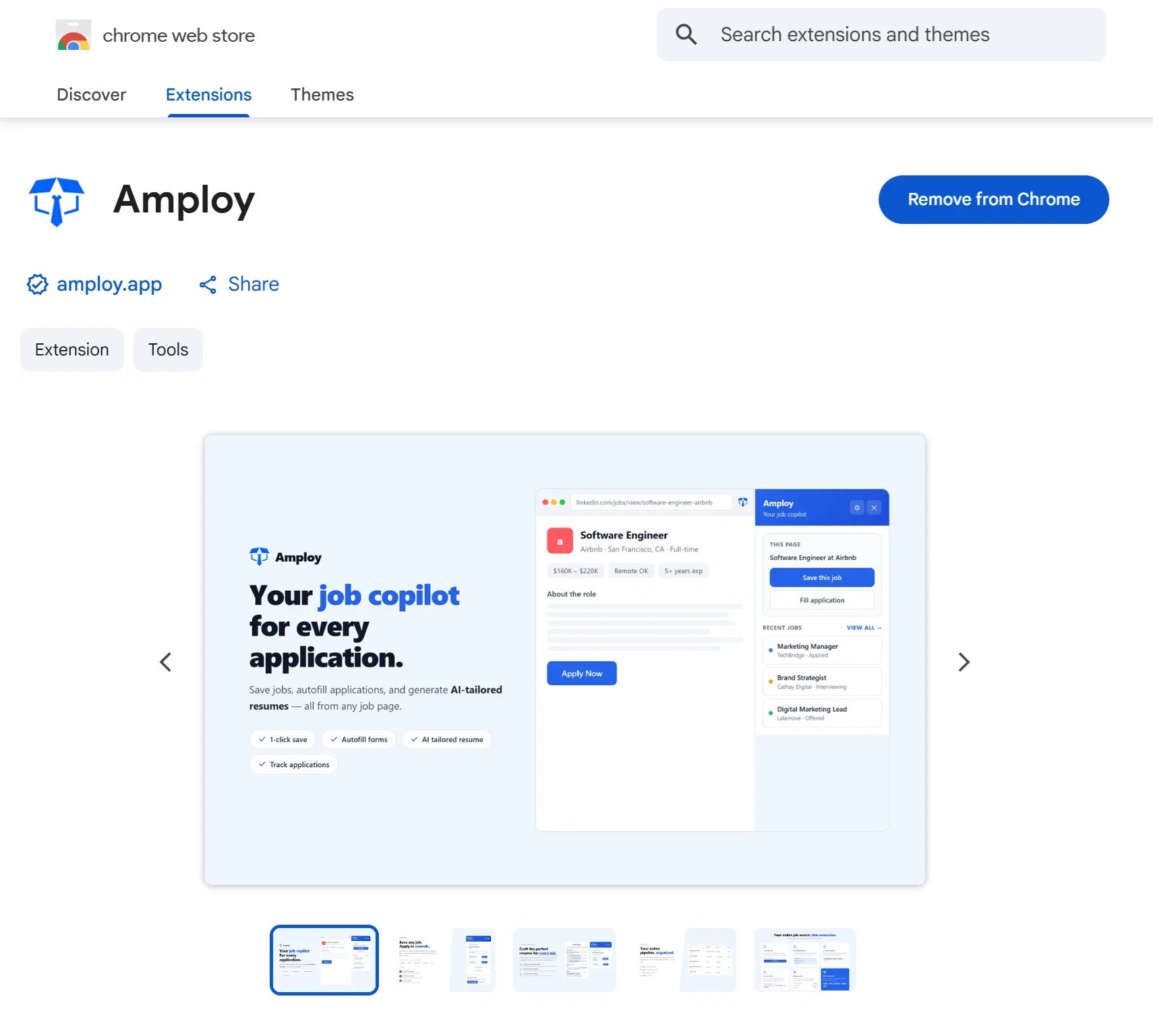
This is the problem Amploy is built for. It automates the repetitive parts of tailoring so the method above becomes minutes instead of hours:
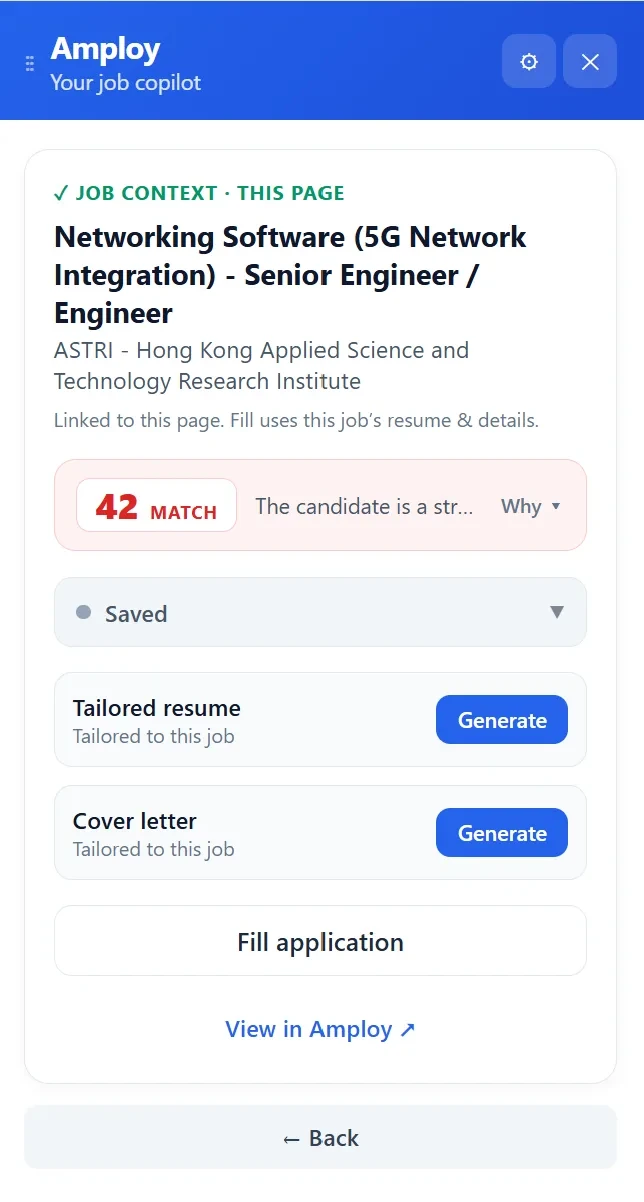
- Resume rewrite takes your real experience and reshapes it to match each job description, so you're always starting from a version that speaks to the role in front of you.
- Cover letter generates a first draft that references the specific role and your actual background — yours to edit into your own voice.
- Job tracker keeps every tailored resume and letter next to its application, with a status pipeline from Saved to Offer, so you always know what you sent.
- Password saver remembers your logins across career sites — one per site, not per job — so applying to another role doesn't mean another password reset.
- Autofill fills application forms from your profile in one click, so the manual typing doesn't undo the time you saved tailoring.
The point isn't to apply blindly to more jobs. It's that tailoring stops being the expensive step. When it's fast, you can do it every time — which is the whole game.
A quick checklist to keep beside you
Before you hit submit:
- I pulled out the posting's requirements, themes, and exact language.
- My most relevant experience is in the top third of the page.
- My top bullets mirror the job's vocabulary and lead with outcomes.
- My summary and skills sections answer this job, not a generic one.
- My cover letter names the role and references the posting.
- I saved the tailored resume and letter with this application so I can find them later.
The takeaway
You can't control how many people apply to a role. You can control whether your application looks like it was written for that role — because it was. Tailoring is the difference between adding to the pile and standing out from it.
Do it once by hand and you'll feel the effort. Do it with Amploy and you'll stop noticing the effort at all. Either way, the method holds: read the job closely, reshape your real experience to meet it, and keep a record of what you sent. Then do it again for the next one.