
Internship Excel Sheet: How to Track Applications Without Losing Your Mind
Your search for "internship excel sheet" probably started simply enough: you wanted a way to keep track of where you'd applied, and a spreadsheet seemed like the obvious answer. Then you started applying to internships in volume, and that neat little spreadsheet turned into a pale blue monster with 40 columns, and you're now spending more time maintaining it than actually applying.
Let's fix that. This guide covers what an internship tracker actually needs to do, where spreadsheets fall apart, and how Amploy handles the parts a spreadsheet was never built for.
Why a spreadsheet becomes a second job
If you're wary of the warning "learn Excel for job search," you've earned it. An internship tracker is a means to an end, not the end itself. The data you actually need is modest:
- Which companies you've applied to
- To which roles
- When you applied
- What you sent (resume version, cover letter)
- What stage you're at (Saved, Applied, Interview, Offer)
- What happens next (deadlines, follow-ups)
That's a few fields. Everything else is overhead.
And that overhead multiplies with every application. Most internship postings get hundreds of applicants. Rejections are not a reflection of your worth; the people who land interviews simply apply more, faster, and keep their materials in order. A tracker that takes 20 minutes a week to update is actually a tracker that prevents you from applying to more roles.
A bare-minimum internship Excel sheet you can build in five minutes
If you want to start with a spreadsheet anyway, keep it stripped down. One tab, these columns only:
| Column | Why it's there | |---|---| | Company | Obvious, but essential for filtering later | | Role / Internship title | You can be applying to several roles at one company | | Link to posting | Postings vanish; save the URL | | Date applied | So you can chase up properly | | Status | Saved / Applied / Interview / Offer | | Next action & date | The reason this tab exists today | | Notes | Interviewer names, referral contact, assessment details |
Don't build nested sub-tabs. Don't add formulas you'll need to debug when you're tired. Use a dropdown (or simple validation) for the status column so your data doesn't devolve into 14 spellings of "in progress."
Where the spreadsheet quietly fails
Here's what no one tells you about tracking applications in Excel or Sheets:
1. It doesn't fill anything in for you. Internship applications repeat the same fields — name, phone, work history, essays — across every site. The spreadsheet waits politely while you retype the same information for the twentieth time.
2. It drifts out of sync with your resume. You send version 3 of your resume to one internship and version 5 to another. Your spreadsheet records the company and date, but it can't keep a tailored resume and a tailored cover letter attached to that specific application. So when an interview lands, you're digging through folders trying to remember which version you actually sent.
3. Passwords pile up. Internship application portals vary wildly: company career sites, third-party systems, recruiter platforms. By week three, you have accounts scattered everywhere and half of them are locked by the time you want to check a status.
4. It's a logbook, not a cockpit. A spreadsheet records what happened. It doesn't help you decide what to do next, remind you of a follow-up deadline, or tell you which application still needs a cover letter.

How Amploy turns your tracker into a job-search cockpit
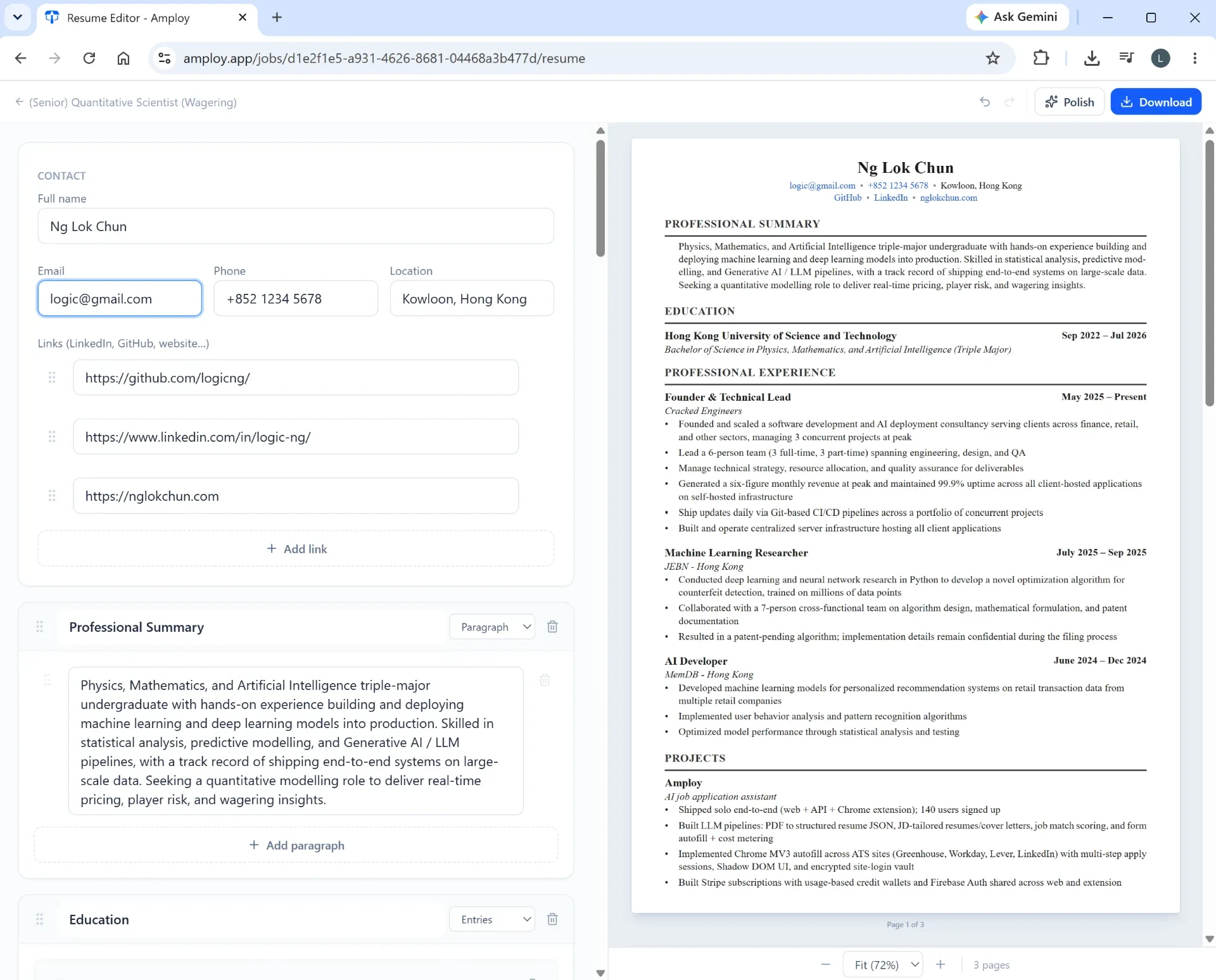
Amploy is a Chrome extension plus website built for exactly this problem: applying to more roles, faster, without burning out on the busywork. Instead of asking you to copy information from your spreadsheet into a form, Amploy keeps your profile, your materials, and your pipeline in one place.
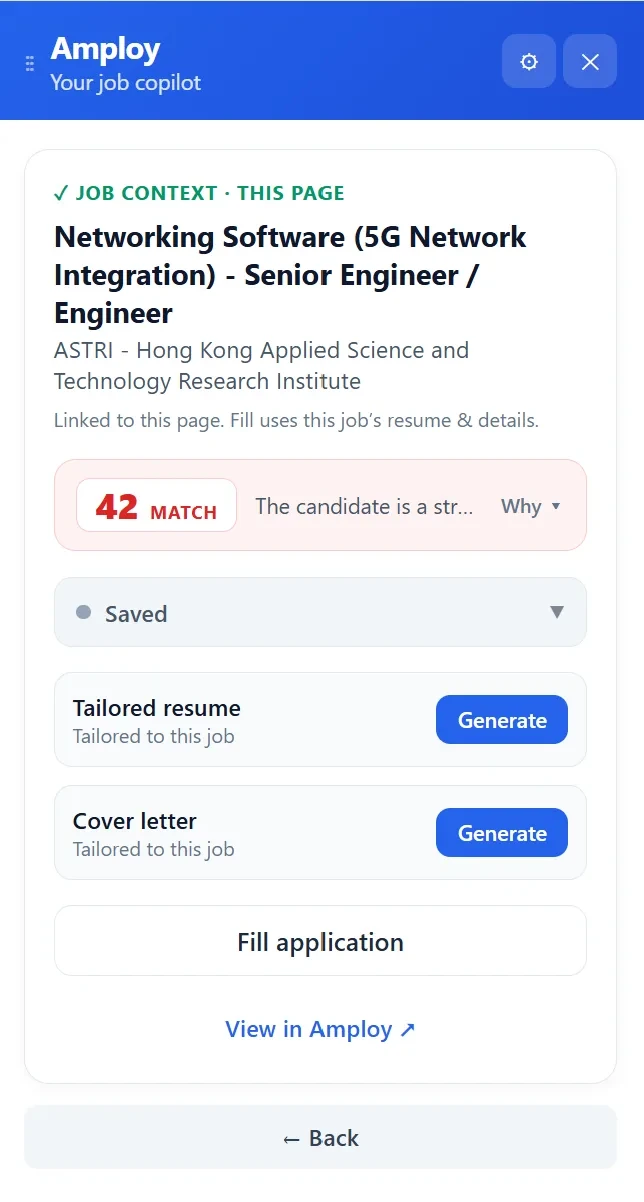
Autofill does the typing. One click fills name, phone, contact details, work history, and essay answers from your saved profile. That's the repetitive part of every internship application, gone.
The job tracker lives next to the materials. The pipeline runs Saved → Applied → Interview → Offer, and each tailored resume and cover letter sits right beside the application it belongs to. No more guessing which version went where — the record is built into the application itself, not typed into a cell after the fact.
Tailoring is automatic. The resume rewrite takes your real experience and rewrites it to match each job description. The cover letter generator produces a first draft that references the role and your actual experience, and you can edit it until it sounds like you.
Passwords are saved for you. Amploy's password saver stores one login per career site, so you're not locked out of a portal you applied through two weeks ago.
Autofill is one click from the form. Once installed, the extension sits in your Chrome toolbar and fills applications wherever you find them.
A realistic workflow for internship season
Here's how to combine the two:
- Set up your Amploy profile once. Load your experience, history, and login details.
- Use the extension on every internship posting — one click to fill the form, generate a tailored resume and cover letter, and log the application to the tracker.
- Check your tracker once a day, not once an hour. Look for applications sitting in Applied with no follow-up, and move anything to Interview as soon as you hear back.
- Save the spreadsheet for what Excel is actually good at: a notes tab for interviewer names, salary questions you want to remember, and assessment deadlines.
- Apply steadily. The tracker is only useful if it keeps you applying — not if it becomes the work.
Stop maintaining the spreadsheet, start using it
An internship Excel sheet is a fine starting point, but it will never be the engine of a job search. It will never fill a form for you, keep a tailored resume attached to the right application, or store the password to a portal you forgot about.
That's what Amploy is for. Install the Chrome extension, load your profile once, and let the tracker do the remembering. Your spreadsheet can retire to the quiet life of a notes tab — and you can get back to the numbers game without losing your mind.