
I Want to Tailor My Resume to Every Job — Here's How to Do It Without Burnout
You know the advice: tailor your resume to every job. Recruiters can spot a generic resume in seconds, and the roles that get hundreds of applicants reward the people who speak directly to the job description.
The problem is the math. Tailoring one resume properly — pulling apart the job post, matching keywords, rewriting bullet points, drafting a cover letter — can take 30 to 45 minutes if you do it carefully. Do that for 20 applications a week and the tailoring is your full-time job. Most people either burn out or quietly stop tailoring after the third application.
Here's a process that lets you tailor every resume without living inside a text editor.
First, decide what "tailoring" actually means
Tailoring doesn't mean rewriting your career from scratch for each role. It means three things:
- Matching vocabulary — using the job description's own terms for skills you already have
- Reordering priorities — putting the most relevant experience first, not necessarily the most recent
- Cutting the irrelevant — trimming accomplishments that don't map to what the role cares about
That's it. Once tailoring has a narrow scope, it gets faster. And once it gets faster, you can do it for every role instead of picking favorites.
Step 1: Scrape the job description for keywords
Before you touch your resume, reread the posting and highlight every skill, tool, or phrase that appears more than once. Those repetitions are the requirements the hiring team cares most about.
Keep this list to the side. You'll check your tailored resume against it before you submit — if a recurring keyword doesn't appear anywhere in your resume, you either have a gap or an oversight to fix.
Step 2: Reword your real experience to match
This is the step that eats the most time. You have solid accomplishments, but they were written for a previous role and phrased in your old company's language.
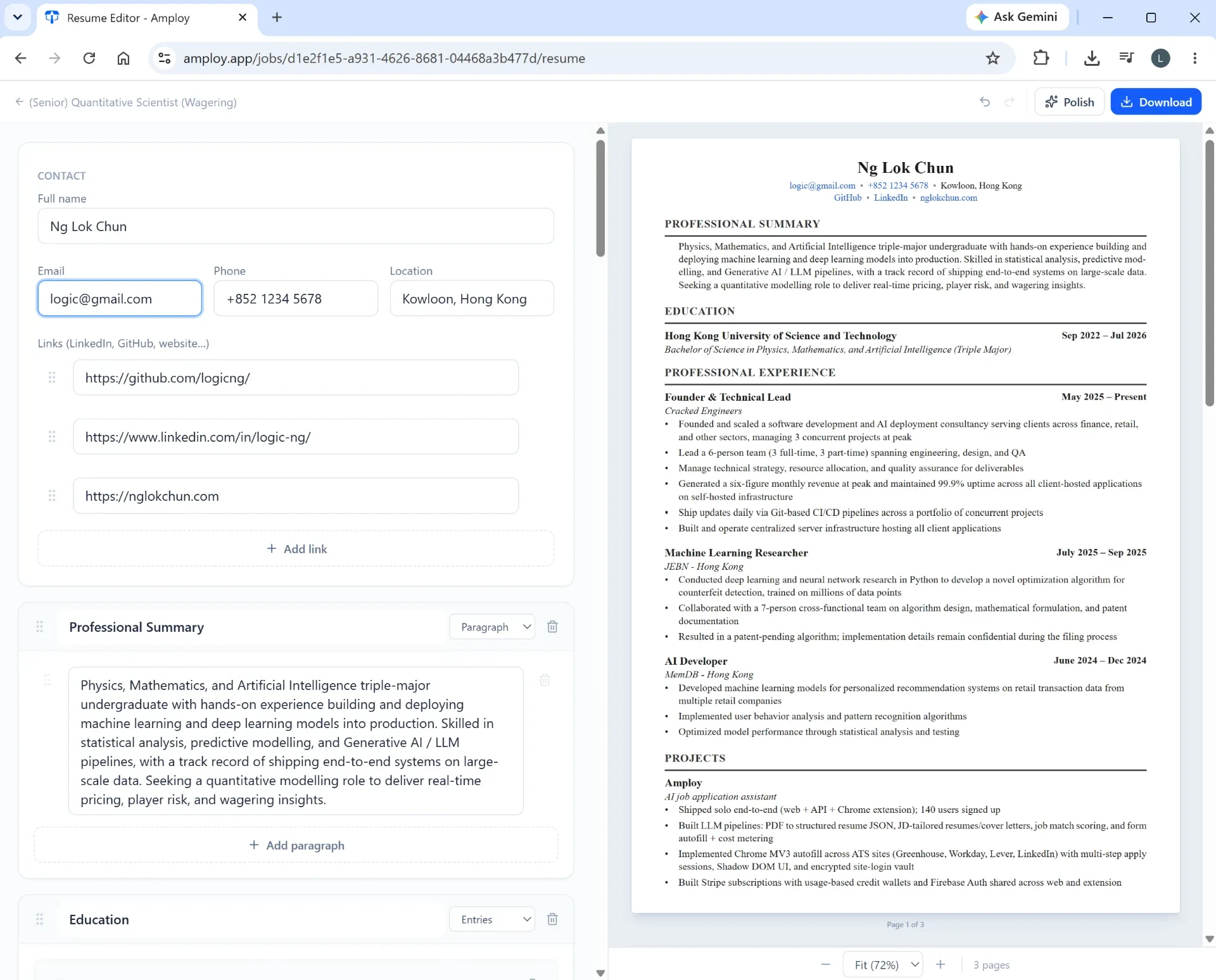
The goal is to keep every fact intact while changing the frame so it lines up with the new job description. For example, if your experience says you "created weekly reports" and the job description asks for "data-driven decision support," you haven't changed your experience — you've described it in the role's language.
This is exactly the repetitive part Amploy automates. Its resume rewrite takes your real experience and rewrites it to match each job description, so you start from a tailored draft instead of a blank page.

Step 3: Draft the cover letter in minutes, not hours
Most people skip cover letters when they're applying at volume — and that's usually the right call, except the posting explicitly asks for one.
The trick is to never write from a blank page. Start with a first draft that references the specific role and your real experience, then edit it in your own voice. Amploy generates that first draft for you, so your only job is the final pass: cutting clichés, tightening the opening, and making sure it sounds like a person.
Step 4: Kill the autofill tax
Here's the hidden time-sink nobody talks about: you can spend 20 minutes tailoring a resume perfectly and then lose another 10 re-typing your name, phone number, work history, and essays into an application form.
That's not tailoring — it's data entry. But it's part of the same workflow, so it's part of the same burnout.
Keep your profiles current in one place and let autofill handle the repetitive fields. One-click filling from your profile means the work you put into tailoring carries straight through to the form instead of stalling at it.

Step 5: Track what you're tailoring
Once you're tailoring every application, you need to know which tailored resume went with which role. Otherwise you're re-uploading the wrong version or scrambling to remember what you said in an interview three weeks later.
A simple pipeline — Saved → Applied → Interview → Offer — sitting next to each tailored resume and letter solves it. You see the whole search at a glance and know exactly where each application stands.

Step 6: Move fast without losing your accounts
High-volume applying means dozens of career-site logins. Forget one password and you're locked out of a form you'd just finished filling.
Save logins per career site once and stop resetting passwords mid-application. It's a small thing that stops a disproportionately annoying bottleneck.
The weekly rhythm that prevents burnout
Tailoring at volume works best as a batching routine, not a daily scramble:
- Block time for the first pass. Pull keywords and rewrite experience across several roles back to back — context-switching is what makes tailoring feel exhausting.
- Draft letters in one sitting. Generate and edit all cover letters together so your tone stays consistent and your editing brain stays warm.
- Submit in a batch. Fill and submit applications in one run once your tailored documents are ready.
- Review your pipeline weekly. Check which tailored versions got through to interviews and double down on that phrasing.
None of this involves working harder. It removes the parts of tailoring that are pure friction — re-typing, rewording from scratch, hunting for passwords — so the human judgment you bring to each application is all that's left.
Start with one application
Pick a role you're applying to this week. Run it through the process: pull the keywords, let Amploy rewrite your resume against the description, generate a cover letter draft you'll edit, autofill the form, and log it in the tracker.
Then do it again for the next role. The first one takes a few minutes. After that, the volume stops being a reason to skip tailoring — and you can finally play the numbers game without burning out.