
Autofill Job Applications 101: What to Set Up Once and Reuse Every Time
Applying to jobs is one of those tasks that feels productive but is mostly repetition. The same name, phone number, work history, and essay answers get typed into the same form fields, site after site. If you've ever spent an evening copying your LinkedIn headline into a portal that looks like it was built in 2009, you already understand why autofill for job applications matters.
This guide walks through what to set up once so every future application moves faster — and how Amploy turns that setup into a repeatable process.
Why job application autofill is worth setting up properly
Most roles get hundreds of applicants. Rejections usually aren't personal — the people who land interviews tend to apply more, and faster. Volume wins.
That doesn't mean you should spam applications. It means the busywork — retyping your employment history, hunting for the right link, resetting a password for a career site you haven't touched in six months — shouldn't be the reason you stop at five applications instead of twenty.
Autofill isn't just a convenience. It's the difference between playing the numbers game and burning out.
The five things to prepare once
Before you automate anything, you need a reliable source of truth. Set these up in a single place and autofill has something accurate to draw from.
- Contact basics — full name, email, phone, location, and links (portfolio, LinkedIn, GitHub).
- Work history — roles, companies, dates, and one or two bullet points per role written in plain, specific language.
- Education and projects — degree, school, dates; a handful of projects with outcomes.
- A reusable professional summary — a short paragraph describing what you do and the impact you've had.
- Common essay answers — "Why do you want this role?", "Tell us about a challenge," "What are you looking for?" Draft these once and adapt per application.
Keep every entry factual and current. Autofill only saves time if the information it fills is correct.
What autofill actually fills — and what it can't (yet)
Autofill handles the predictable fields: name, phone, email, work history, education, and standard essay prompts. It removes the busywork.
What it can't do is decide whether the role is right for you, or speak in your voice. That's still your job — and it's the part worth spending time on once the typing is handled.
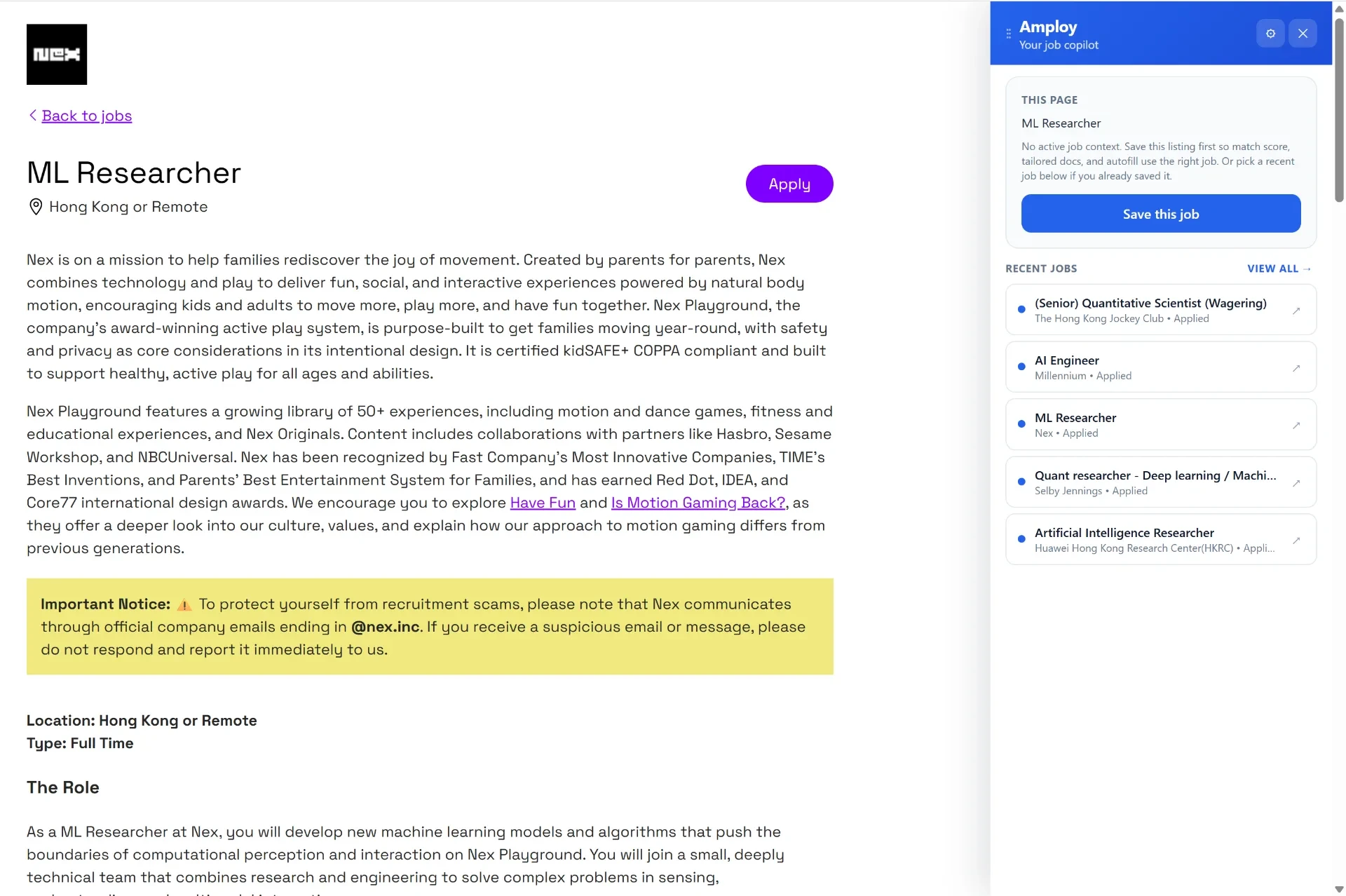
Where tailoring comes in
Applying to everything with the same resume is faster, but it stops working the moment a recruiter scans for relevance. The goal is speed with fit.
Instead of rewriting your resume by hand for each posting, Amploy's resume rewrite reworks your real experience to match a specific job description. Your cover letter tool generates a first draft that references the role and your actual background — then you edit it for your voice. Both steps stay grounded in what you've actually done.
That combination — autofill the form, tailor the documents — is what makes applying to more roles realistic without your quality slipping.
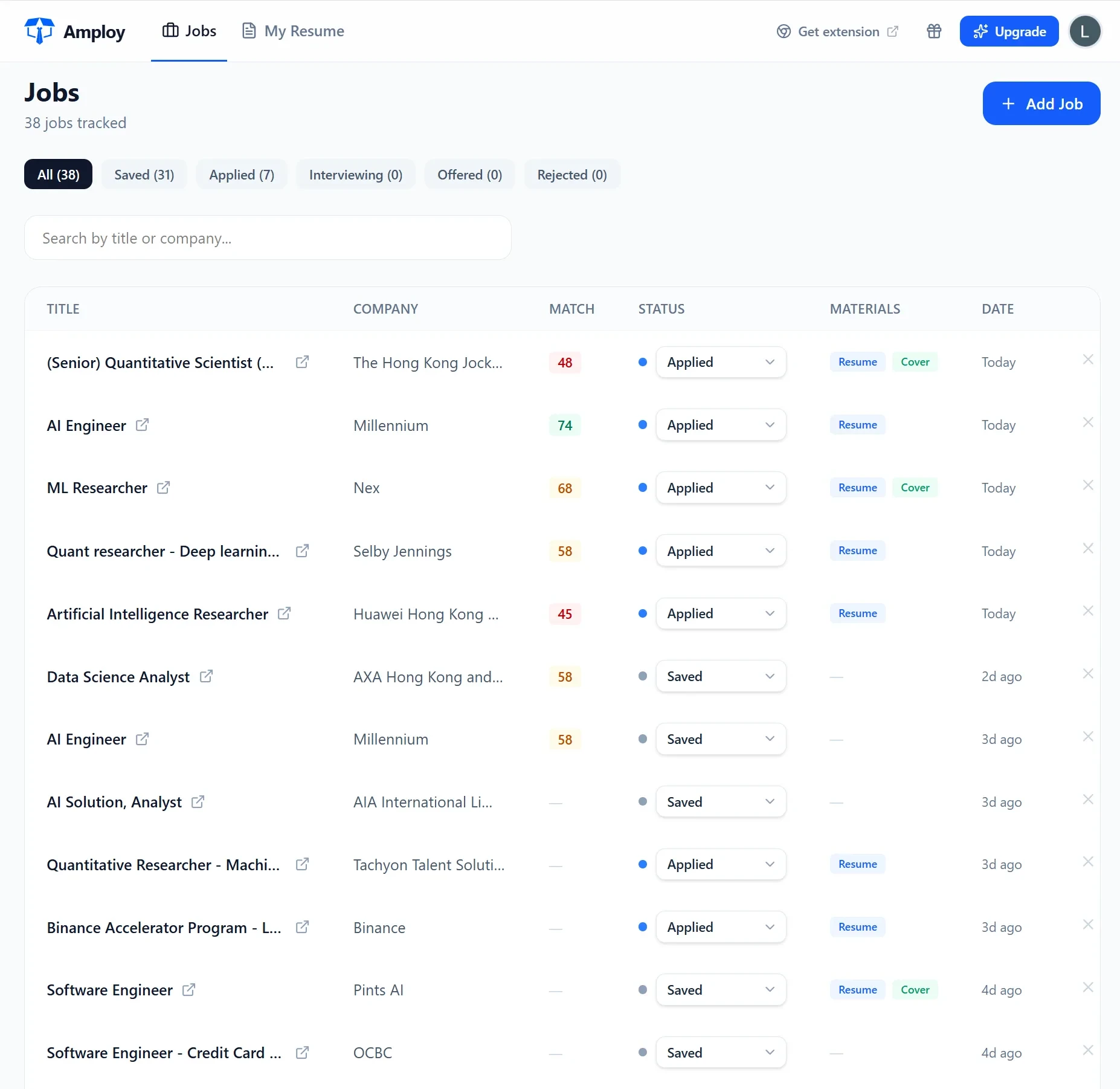
Tracking beats relying on memory
Once you're applying at volume, memory fails. Which companies did you hear back from? Which cover letters went out with which resume version?
A job tracker keeps each tailored resume and cover letter next to its status — Saved → Applied → Interview → Offer. You can see at a glance where everything stands and follow up on the ones that have gone quiet.
The small friction that quietly costs you applications
Career sites are password sprawl. Each portal wants its own login, and you'll visit some of them exactly twice before never logging in again. Forgotten passwords are a real reason applications never get submitted.
A password saver that stores one login per career site means you don't lose ten minutes (or the momentum) resetting credentials every time you apply.

Your first-run checklist
Do this once, then reuse it for every application:
- Fill in your profile completely — contact details, work history, education, summary.
- Draft your two or three most common essay answers.
- Save your logins for the career sites you use most.
- When you find a role you want, generate a tailored resume and cover letter, autofill the form, and log the application in your tracker.
- Check your tracker weekly and follow up on anything marked Applied.
Getting started with Amploy
Amploy is a Chrome extension plus website built for this exact workflow: autofill, cover letter drafting, resume rewriting, tracking, and saved logins — all in one place.
Install it once, fill your profile, and stop wasting so much time applying to jobs. The next application is where the setup pays off.