
AI-Powered Job Search Without the Hype: A Realistic Walkthrough
Applying to jobs is mostly waiting. You find a posting, open the application, retype the same work history for the fortieth time, tweak a cover letter, hit submit, and then refresh your inbox for two weeks. Multiply that by every role you actually want, and the search becomes a part-time job where most of the hours are unpaid busywork.
"AI-powered job search" usually makes this sound like magic — a bot that supposedly applies to hundreds of jobs overnight while you sleep. That's not what it is, and it's worth being clear about what AI can actually do here, where it falls short, and what a sensible workflow looks like using a tool like Amploy.
What "AI-powered" means in practice
Strip away the marketing and there are really three tasks AI can meaningfully speed up in a job search:
- Reading a job description and mapping it to your experience — matching the language a hiring team used to what you've actually done.
- Drafting text you were going to write anyway — cover letters, summaries, bullet points.
- Doing the repetitive data entry — filling the same name, phone number, and work history into form after form.
What it can't do is get you hired. It can't make a role that's wrong for you right, and it can't fake experience you don't have. The realistic promise isn't "AI gets you a job" — it's "AI removes the reasons you only applied to five roles this week instead of twenty."
Where the time actually goes
Before reaching for any software, it helps to see how a single application breaks down. Roughly, it's:
- Tailoring your resume to the job description
- Writing or adjusting a cover letter
- Filling in the application form itself
- Recording somewhere that you applied and when
- Managing the logins for a dozen different career sites
None of these are hard. Together they eat evenings. Autofill, resume rewriting, and cover-letter drafting exist as separate features in Amploy precisely because they're the same steps repeated for every role.
A realistic walkthrough
Here's what an honest, AI-assisted application actually looks like — no bots, no mass submissions, just less friction per role.
1. Start with a job description you genuinely want
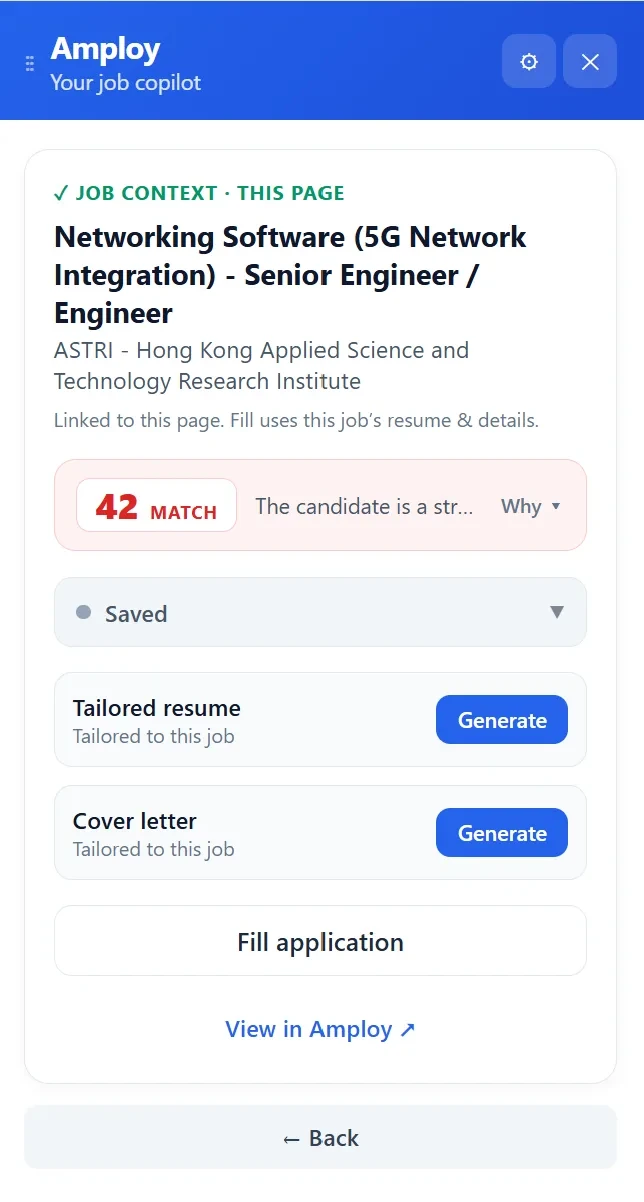
Pick a role. Paste or open the posting in the extension. Amploy shows the job context — the role and company — and you decide from there whether it's worth an application. This is the part AI should never automate away: your judgment about which jobs matter.
2. Rewrite your real experience to match the description
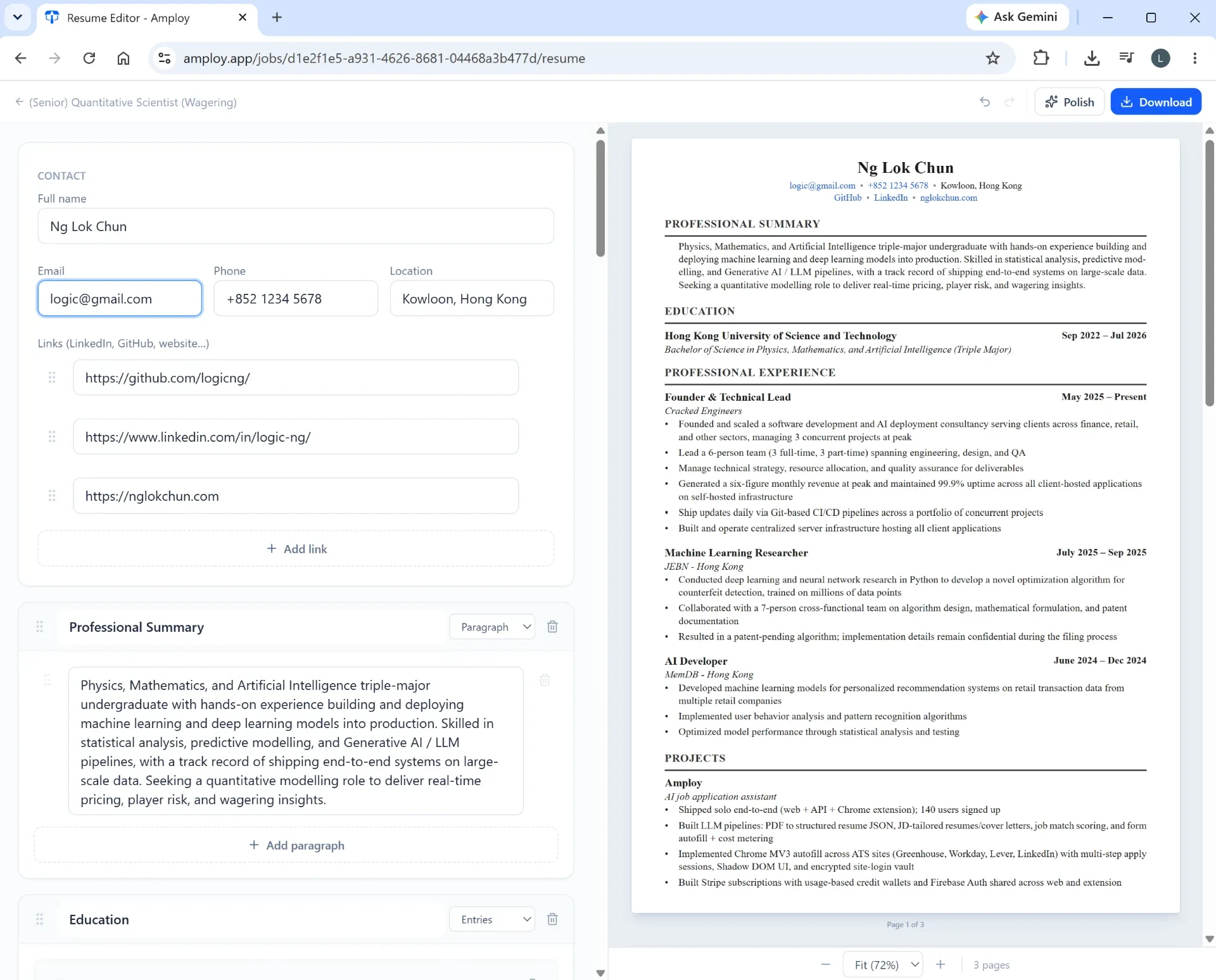
The resume rewrite takes your existing experience and reframes it against the language of the job description. The key word is your — it works from what you've genuinely done. It won't invent a certification you don't hold or a project you never ran. What it does is save the half hour of rephrasing bullet points so the match is obvious to a recruiter skimming for ten seconds.

3. Generate a cover letter draft — then edit it
The cover letter generator produces a first draft that references the specific role and pulls from your real experience. Treat it as a draft, not a finished product. Read it in your voice, cut the parts that sound like nobody, and add the one detail only you could add. A first draft that's 80% there beats staring at a blank page — but the last 20% is still your job.
4. Let autofill handle the form
This is the least glamorous and most valuable part. One click fills in your name, phone, work history, and the free-text essays from your saved profile. It's the twenty minutes of copy-paste that nobody enjoys and everybody gets wrong at least once.

5. Track the application
A pipeline tracker (Saved → Applied → Interview → Offer) sits next to each tailored resume and letter. This sounds like admin, but it's the difference between a search that compounds and one that dissolves into a scattered inbox you can't reconstruct. When a recruiter calls about a role from three weeks ago, you'll know exactly which version of your resume they're holding.

6. Stop fighting the password reset page
Every company careers site wants its own login. The password saver stores one login per career site — not per job — so you're not resetting a password you created last Tuesday every time you come back to check a status.

What to watch for when evaluating any "AI job search" tool
A short checklist, useful regardless of which tool you try:
- Does it work from your real experience? A tool that pads your resume with skills you don't have will get found out in the interview.
- Can you edit the output? If the cover letter or resume can't be adjusted to sound like you, it's not saving you time — it's handing you something you'll have to rewrite anyway.
- Does it keep a record? A tailored resume with no tracker attached is a document you'll never find again.
- Does it respect your judgment? Autofill and drafting should speed up the applications you choose to make, not make the choice for you.
Hype tends to fail at least one of these. A useful tool fails none of them.
Why this lives in a browser extension
The whole point is meeting you where the work happens: on the careers page, in the form, in the tab you already have open. Amploy runs as a Chrome extension alongside the web app, so the job description, your tailored resume, the cover letter, and the application form are all one click apart rather than scattered across five tabs and a notes app.
The honest bottom line
AI won't find you a job. It won't outsmart a hiring manager or replace the judgment of which roles are worth your time. What it can do — reliably, without drama — is make each application take fifteen minutes instead of an hour, so that applying to more roles doesn't mean burning out.
That's the entire premise behind Amploy: stop wasting so much time applying to jobs. The volume wins. AI just makes the volume sustainable.
If that sounds like a better use of your evenings, install the extension, add your profile once, and let the busywork take care of itself — while you keep making the calls that matter.